
The 2026 scene guide · 10 templates
Genjutsu AI Trends
Genjutsu trends turn familiar short-video scenes into personal jokes: your face at a party, your pet behind a pickup window, or your everyday car attempting an impossible stunt. These AI video trends share a simple idea. Keep the action people recognize, then change who takes the leading role. The pause before a goal, a shoulder bounce and a surprised stare make each scene readable without a long explanation.
This guide brings together ten templates already available on this site. Most begin with one clear photo and a prepared reference clip, so you do not need to film the choreography or write a motion prompt. There are two useful exceptions: the kissing scene needs separate photos of two consenting adults, and the flying-car stunt needs a vehicle photo. Preview the scene, match your photo to its framing, check the displayed price, then review the finished MP4 before sharing. The examples illustrate reference scenes, not guaranteed personalized results.
Find your sceneAbout 5 seconds · 16:9 · Two photos
Pollo AI Kissing
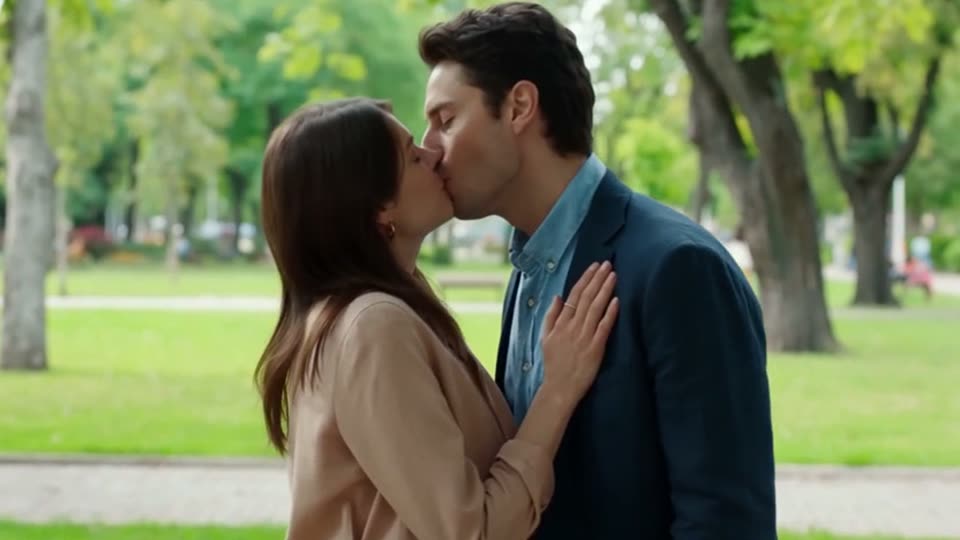
Pollo AI Kissing describes the couple-edit idea: two people lean toward each other and share a kiss in a scene they never filmed together. Here, the movement comes from a prepared kiss sequence, with the camera, lighting and setting supplied by the reference. Genjutsu AI is an independent editor, not part of Pollo AI.
Among genjutsu trends, this is the two-photo option. Upload one portrait for the person on the left and another for the person on the right. You do not need a photograph of the pair together. City lights, a painted night market, a spring park and a warm doorway offer different backgrounds. The previews are reference scenes; personalization uses paid credits. Use photos of consenting adults, then review the faces and contact before sharing the widescreen MP4.
Template tip. Choose Spring park in 16:9 with two front-facing portraits, keeping both faces unobstructed and matching each person to one side.
10 seconds · 16:9 · One photo
Burning Bridges
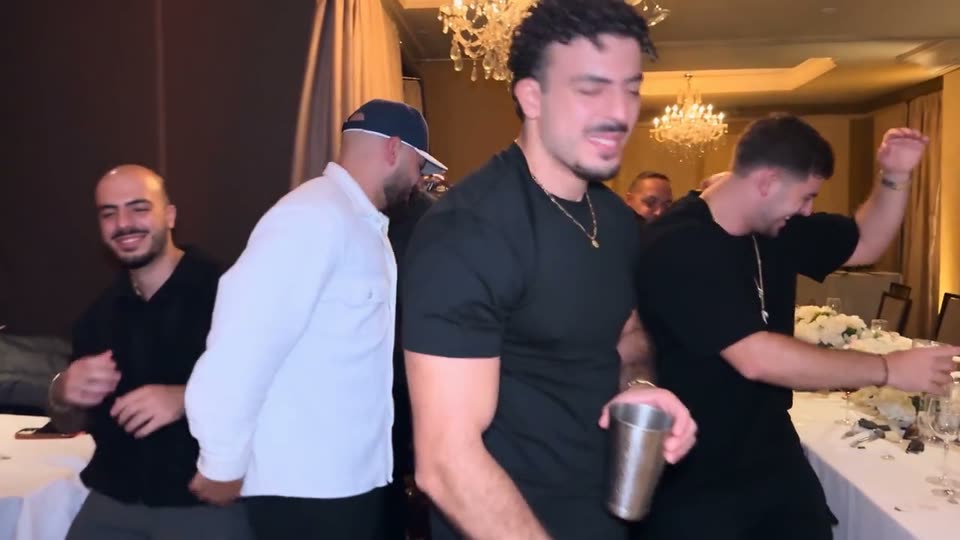
Burning Bridges puts a new host into a chandelier-lit dining-room party. The host approaches the camera, brings a silver cup toward the lens and points while friends dance behind them. The room and the surrounding crew make the routine recognizable, so this edit changes the host rather than replacing the whole party.
The available takes keep the same routine with a black tee, blue track jacket, white polo or teal blazer. Choose the outfit you would wear: clothing comes from the take, while your photo supplies the identity. Face clarity matters when the host moves close to the lens. The ten-second clips are widescreen and silent; add an available sound separately after downloading. Reference previews show the starting scene, not a finished result made from your photo.
Template tip. Choose Black tee and chain in 16:9 with a well-lit, front-facing portrait and a confident expression that suits the walk toward the camera.
10 seconds · 16:9 · One vehicle photo
Flying Car
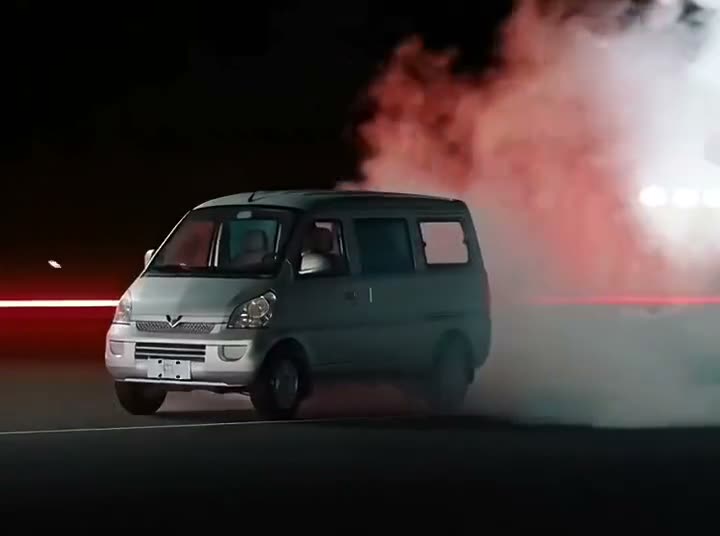
Flying Car turns a vehicle into the star of an impossible stunt. It climbs a curved ramp, travels upside down near the top, launches into a flip and lands in smoke. The joke comes from seeing an everyday car, van or pickup attempt the same spectacular route.
This template needs a vehicle photograph rather than a portrait. The prepared reference supplies the ramp, camera movement and landing, so there is no stunt prompt to write. Keep the roof, bumpers and visible wheels inside the photo; cropped bodywork leaves details unspecified during the flip. Avoid overlapping cars, night lighting and reflections. Although the examples include playful alternatives, the generator is tuned for cars, vans, pickups and trucks. The ten-second output is an entertainment edit, not footage of a real flight.
Template tip. Choose the vehicle stunt in 16:9 and upload one car in daylight, preferably photographed from the side or a three-quarter angle.
10 seconds · 16:9 reference · One photo
Crazy Frog
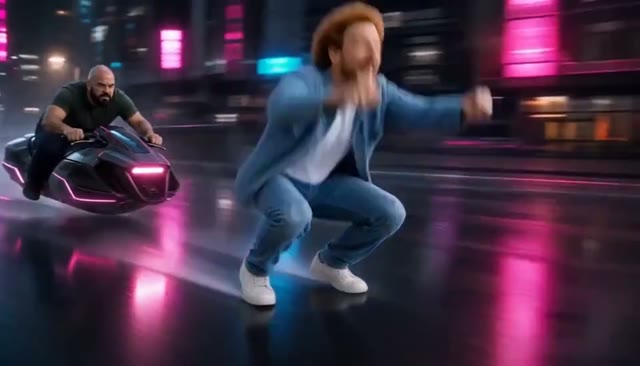
Crazy Frog puts a recognizable rider on an invisible motorcycle. The rider crouches low and reaches toward imaginary handlebars while a pursuer follows through the scene. That impossible pose, combined with a familiar face, is what distinguishes this chase from ordinary running edits among AI video trends.
Six built-in themes include an overpass, neon city, chocolate factory, pixel world, circuit board and Halloween chase. Your photo replaces the main rider; the pursuer stays as filmed. Preview the ten-second reference before choosing, because the camera needs room to show both characters. Review the export for invented wheels, changing hands or other objects. The editor does not supply a licensed Axel F recording, and its sample mute control only changes playback. Check exported audio separately before adding music.
Template tip. Choose Neon city getaway in its landscape 16:9 framing, using one evenly lit portrait that shows the face, shoulders and some of the outfit.
10 seconds · 9:16 or 16:9 · One photo
Hit the Road Dude
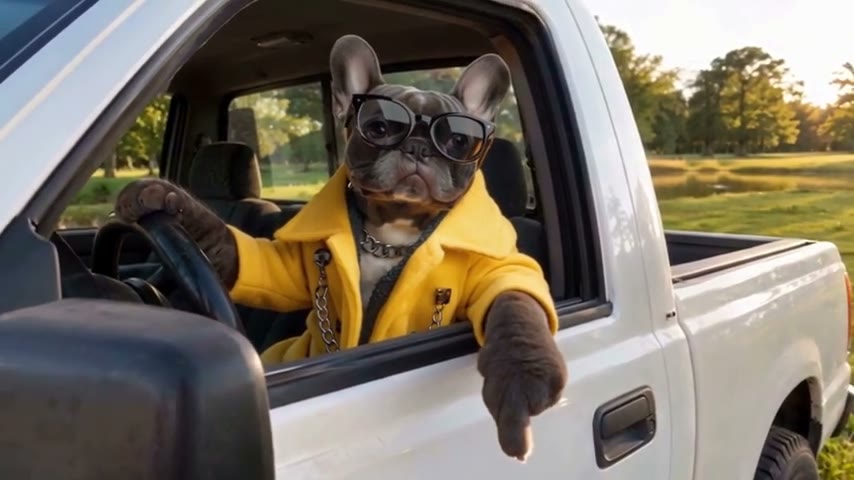
Hit the Road Dude is a reaction scene at the window of a white pickup, not a driving effect. A driver confronts visitors over whether the land is public or private, with the skeptical pause and dismissive gesture carrying the joke. The AI versions change the driver while keeping that window-side exchange recognizable.
The three references give genjutsu trends a choice of personalities: a human in a black shirt, an unimpressed cat and a dog wearing a yellow jacket and sunglasses. Watch the stare before the send-off. The hand or paw over the door is part of the action, and the truck window belongs in the composition. The human and cat scenes are vertical; the dog scene uses the wider landscape view.
Upload a sharp portrait showing the whole face at eye level. For a pet, keep both eyes, the muzzle and recognizable fur markings visible. The longer source previews run roughly thirteen to sixteen seconds, but the editor selects a ten-second excerpt for generation. Before downloading, inspect the face, paws or hands and the window edge. Listen to the export as well: reference audio depends on provider support, and exact dialogue or lip-sync is not promised.
Template tip. Choose the pickup driver or cat in 9:16 for a vertical reaction, or the yellow-jacket dog in 16:9 with a clear, unobstructed pet portrait.
About 9 seconds · 16:9 · One photo
Dime Dime Baby
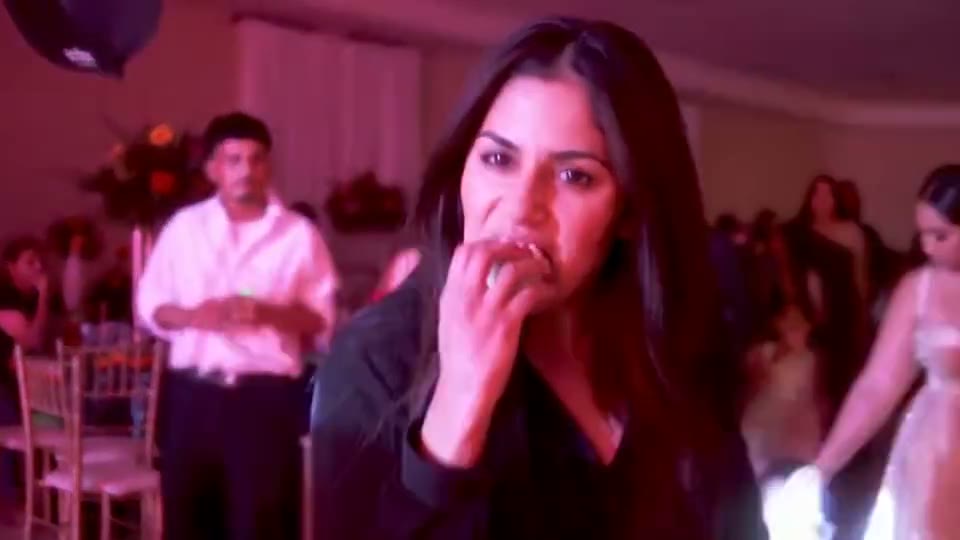
Dime Dime Baby follows a dancer into a party, up to the camera for a bite of concha, then back into the crowd. The Mexican sweet bread, puffed cheeks and held stare turn the close-up into the punchline. You may also see this particular sequence described as the concha meme or BbY WOW Guy, so checking the preview matters more than relying on a name alone.
Three takes offer different expressions: a black shirt with a deadpan stare, a navy shirt with a wide-eyed look, and a suit-and-tie version. Each uses a landscape frame to keep the approach, bite and exit together. Within genjutsu trends, this is a useful choice when the facial reaction is the part you want viewers to notice, rather than a long dance routine or changing location.
One clear, front-facing photo replaces the lead while the reference guides the party, movement and camera timing. Leave the mouth and cheeks visible, without a hand, sunglasses or a strong side profile obscuring the expression. The built-in takes are approximately nine seconds and silent. Review fingers, food contact and face consistency before sharing; those close-up interactions can change in an AI edit. Add an available sound in your publishing app after downloading the MP4.
Template tip. Choose Black shirt, deadpan stare in 16:9 with a sharp portrait whose mouth and cheeks are fully visible, keeping the whole bite-and-exit sequence.
10 seconds · 9:16 · One photo
Ozil
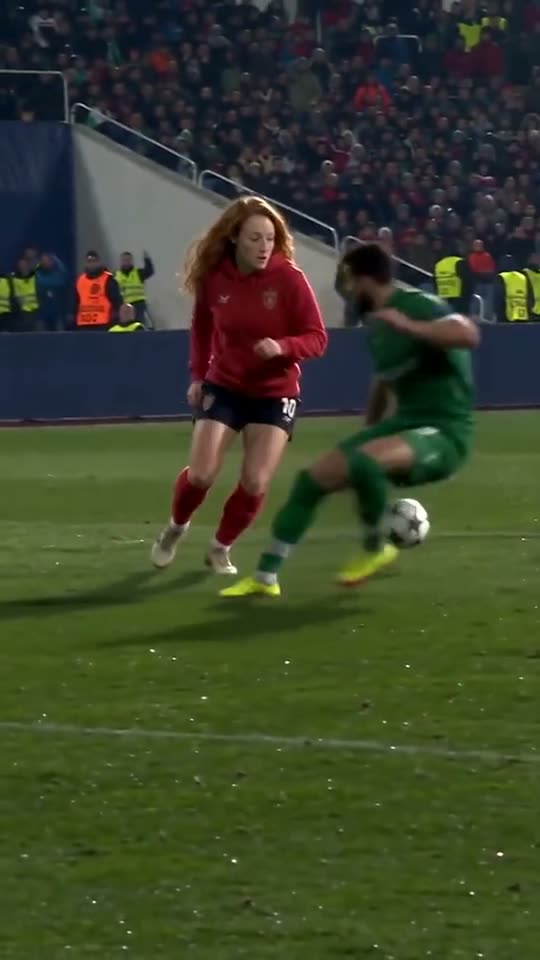
Ozil recasts the scorer in a football move built around an unusually calm finish. The player chips the approaching goalkeeper, pauses while two defenders slide past, then rolls the ball into the empty net. The keeper, tackles and stadium supply the contrast: the replacement scorer appears relaxed while everything around them is moving.
The red hoodie, five-a-side kit and office shirt takes follow the same sequence. Your photo defines the scorer rather than adding another player or a new celebration. Unlike face-only close-up AI video trends, this edit has to carry an identity through a running body and several turns. A waist-up or full-length photo gives the model shoulders, clothing and build to work with, instead of leaving everything below a tight selfie unspecified.
Pick a take whose outfit and proportions are close to the photograph. Keep the face evenly lit and unobstructed; group shots, heavy filters and sunglasses make the identity harder to read. The prepared sequence is ten seconds in vertical 9:16, with the reference keeping the chip, pause and finish together. The takes are silent, so add your chosen sound after downloading. Check the complete movement, not just the opening face: the football interaction and changes of direction are part of what makes this version recognizable.
Template tip. Choose Red hoodie finish in 9:16 with a clear waist-up or full-length portrait, or select the office-shirt take when it better matches your outfit.
Vertical 9:16 · One photo
Bulin 47
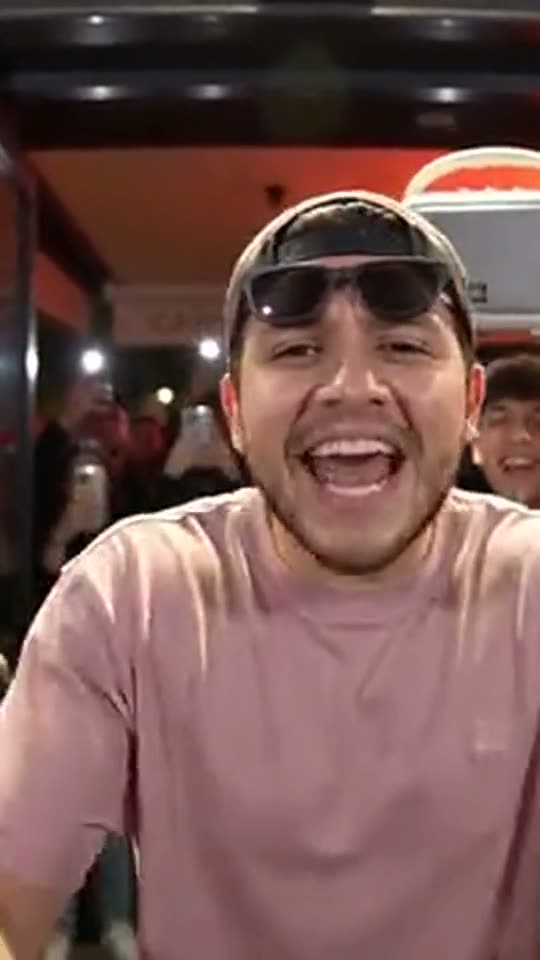
Bulin 47 recreates a night-time street freestyle with a pink-shirted lead, dark sunglasses and a fan holding up a portable speaker. The camera turns toward the performer while the surrounding crowd films on phones. The restaurant lighting, speaker and spectators make the scene feel like an impromptu performance rather than a studio music video.
Choose the cap, pink-shirt-and-shades or cat take to decide who occupies the leading spot. The references keep the same routine and setting while your uploaded photo changes the performer. Only that main role is replaced: the fan with the speaker and the people filming remain part of the reference. This is the street-performance option within genjutsu trends, whereas Dame Hombro below isolates the shoulder move into its own dance scenes.
Because the look includes sunglasses, your mouth, jaw, hair and expression carry much of the likeness. A laughing or animated, front-facing photo fits the performance better than a neutral portrait with the face partly hidden. Match the take to the subject’s build and hairstyle where possible. The pet example offers another starting point, although animal results are less predictable than a human portrait. Download the silent vertical MP4, then align an available sound with the opening camera turn from the speaker toward the lead. The recreated takes do not include the artist’s original recording.
Template tip. Choose Cap and pink tee in 9:16 with a well-lit, expressive portrait, keeping the usual hairstyle, mouth and jaw clearly visible despite the template’s shades.
6 or 10 seconds · 9:16 · One photo
Dame Hombro
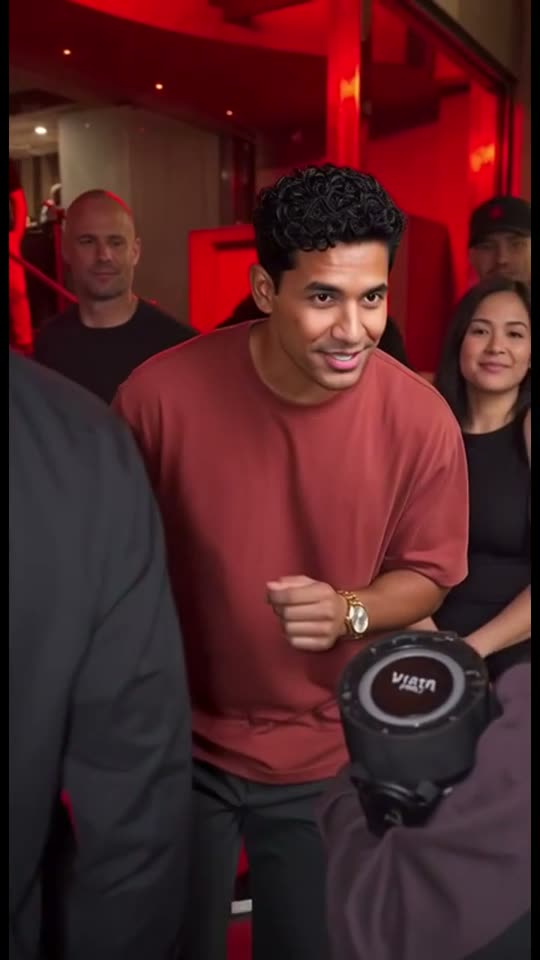
Dame Hombro means “give me shoulder,” and the movement follows that cue: fists rise, shoulders bounce and both hands tug at the shirt. The dance shares a reference with the Bulin 47 freestyle, but concentrates on the chest-up routine rather than the whole street performance. That narrower focus gives the same movement several different stages.
The red-lit crowd keeps the cheering people and raised speaker around the dancer. The sunny terrace and studio versions put one subject in the spotlight, while the golden retriever take offers a pet version. These are different scene choices, not a promise that uploading a second photo will recast the audience. Your chosen reference supplies the surroundings and camera while the photo identifies the principal dancer.
For these genjutsu trends, matching the photograph to the action is more useful than choosing an elaborate background. Use a half-body portrait with shoulders and arms visible, since the movement is concentrated there. A tight face crop provides less information for the shirt tug. The crowd and studio references run ten seconds; the dog and terrace are six-second loops. All four use vertical 9:16 framing and silent references. After reviewing the MP4, add an available sound and align the strongest shirt-pulling motion with the chant. If you choose the dog, inspect its anatomy as well as the timing.
Template tip. Choose the 9:16 studio bounce for a solo shoulder routine with a clear half-body photo, or the red-lit crowd when you want the surrounding reaction.
About 3.5–6 seconds · 9:16 · One photo
Tiny Desk
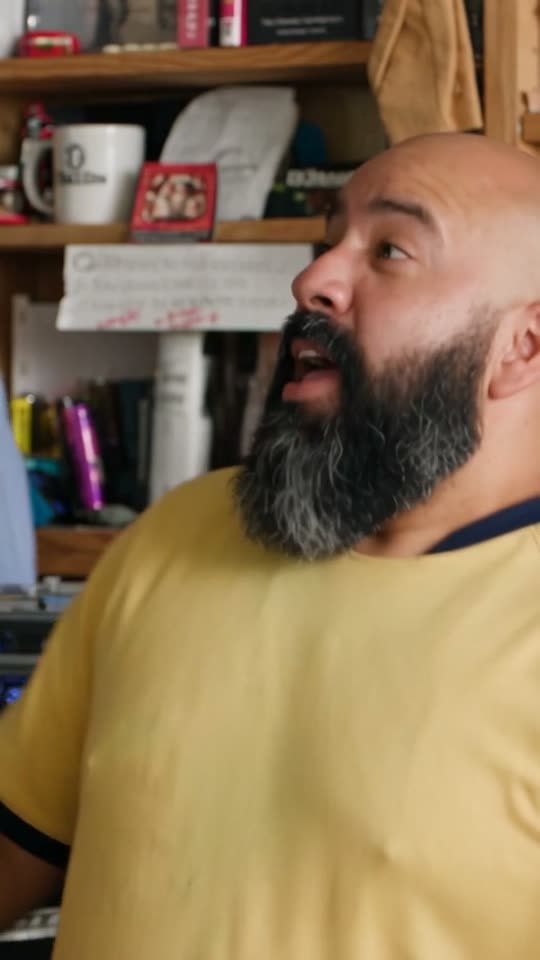
Tiny Desk puts the lead inside an office-style concert: musicians gather around a desk, a microphone and a red keyboard, with books and warm lamps behind them. The recreated scene can focus on a singer, a big laugh or a saxophone solo. Its appeal comes from seeing a familiar person suddenly occupy a seat in that small performance space.
Four cuts offer distinct moments rather than four unrelated settings. The band shot lasts about five seconds, the laugh about six, the sax solo about three and a half, and the finale about four. The band shot, laugh and finale replace the lead singer; the sax cut replaces that instrumentalist. One photo fills one seat, while the remaining musicians stay around the chosen performer.
If the reaction is your reason for trying genjutsu trends, preview the laugh close-up first. If the joke needs the whole group behind the desk, compare the band shot and finale. Use one sharp portrait facing the camera in good light, because the low, warm desk lighting already comes from the reference. These are silent, vertical 9:16 MP4 scenes, not a recording of you singing or playing. Add an available sound after export and match its hook to the strongest laugh or performance moment. The editor is independent of NPR and the Tiny Desk series.
Template tip. Choose The big laugh in 9:16 with a clear, well-lit portrait for a reaction clip, or select The sax solo to replace the instrumentalist instead.
Before you make your version
Questions about genjutsu trends
Can I make these AI video memes with one photo?
Most character templates use one clear photo of the person or pet you want to put in the scene. Pollo AI Kissing needs two separate photos of consenting adults, one for each side of the couple. Flying Car uses one photo of a vehicle instead of a face. The prepared reference supplies the movement and setting.
Which trends are free to try?
Reading the guides, viewing the reference examples and choosing a scene are free. Creating a personalized video uses paid generation credits from a one-time pack. Check the cost shown in the editor before starting; a reference preview is not a free personalized render.
Which template is the simplest starting point?
Start with a one-photo scene that matches the photo you already have. Tiny Desk’s laugh cut suits a clear face portrait; Dame Hombro’s studio scene suits a half-body photo with visible shoulders. Both provide a prepared reference. This is a starting suggestion, not a guarantee of an easier or more accurate render.
How long are the videos, and should I choose 9:16 or 16:9?
The prepared scenes range from roughly 3.5 to 10 seconds. Ozil, Bulin 47, Dame Hombro and Tiny Desk use vertical 9:16; Kissing, Burning Bridges, Flying Car and Dime Dime Baby use widescreen 16:9. Hit the Road Dude offers both, while Crazy Frog’s prepared chases use landscape framing. Follow the selected reference so important action stays in view.
Do the templates include the trend songs?
Many of these AI video trends use silent reference takes. Hit the Road Dude’s selected reference audio depends on provider support, and Crazy Frog’s audio depends on the source and provider. Listen to the export and add a sound you are allowed to use in your publishing app; do not assume an original song or cloned voice is included.