
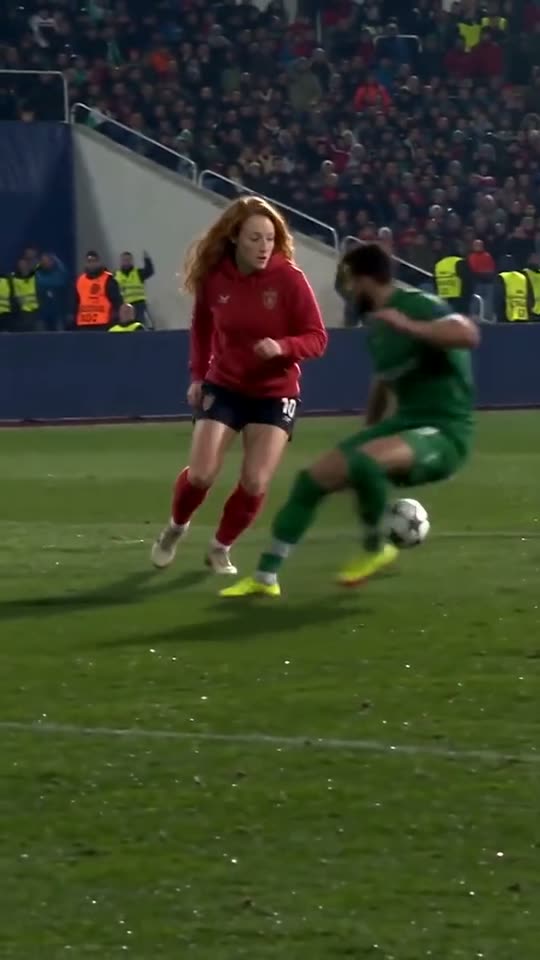
A full-body scorer
The scorer is visible from head to boots and turns several times. A photo that shows your shoulders and outfit helps the edit keep your build consistent from the chip to the finish.
The TikTok goal trend, starring you
Upload one photo and take the scorer’s place in the Ozil goal that is all over TikTok. The keeper, the two sliding defenders and the stadium stay as filmed; the player who finishes the move becomes you.
Pick one of the three goal takes, add a clear photo of one person and click Generate. You can also upload your own football clip of three to ten seconds.
First video $9.90 · one-time, no subscription
Starter pack: $9.90. Check the editor for your balance and generation cost.
Every take follows the same move with a different scorer. Pick the outfit closest to your photo for the most natural result.
These previews are the reference takes the editor starts from, not personalized results.
The goal behind the trend
One touch over the keeper. One pause. One empty net.
Ozil AI is the name TikTok gave to a wave of AI edits built on one of Mesut Özil’s most replayed goals. On 1 November 2016, Arsenal came from two goals down to win 3–2 at Ludogorets in the Champions League group stage. Özil’s late winner began with a soft chip over the onrushing goalkeeper. Instead of shooting straight away, he waited with the ball at his feet, let two defenders slide past him and rolled it calmly into the empty net.
In October 2026, edits that put someone else in Özil’s place started spreading on TikTok, and “ozil ai” became the search people used to make their own. The joke works because the move is so relaxed: the person in the clip looks completely unbothered while two professionals throw themselves at the ball. This page lets you make that edit from a single photo, with your whole figure redrawn rather than a face pasted on top.
Your photo defines the scorer. The goal take supplies the run, the chip, the pause and the finish.
Pick the red hoodie, five-a-side or office shirt take. All three show the same move. A take whose outfit and build are close to your photo usually needs less change, so the result tends to look more natural.
Use one person facing the camera, with even light and nothing covering the face. A waist-up or full-length photo works better than a tight selfie, because the edit has to fill a whole running body. Group shots, heavy filters and sunglasses make results less predictable.
Check the displayed cost, sign in and click Generate. A 10-second take usually finishes in a few minutes. You get a vertical 9:16 MP4 to download and post on TikTok, Reels or Shorts, with the trend sound added in the app.
An Ozil AI edit convinces people when the move reads clearly. Check these details before you spend credits.
The scorer is visible from head to boots and turns several times. A photo that shows your shoulders and outfit helps the edit keep your build consistent from the chip to the finish.
Only the scorer changes. The keeper’s dive and both slide tackles stay as filmed, which is exactly what makes the pause look so cool. Do not expect extra players or a new celebration.
The goal takes are silent. Add the trending audio inside TikTok or Instagram when you post, so the platform links your video to the trend and handles the music licence.
There are three common ways to make the Ozil goal video, and they solve different problems.
Fast and cheap, but they paste a face over the original player. Hair, skin tone and body stay the same, so the clip can look like a sticker once the player turns away from the camera.
Prompt tools generate a brand-new goal from a description. You get an original stadium and players, but the famous chip, pause and finish rarely come out the way viewers recognise them.
The take keeps the real movement and camera, and the whole scorer, including face, hair and build, is redrawn from your photo. It uses credits and takes a few minutes, but it is the closest match to the clips in the trend.
Reading this page and playing the previews is free. Making a personalized video uses paid generation credits, and the editor shows the cost before you start. There is no free personalized preview.
Only use photos of people who have agreed to appear in your video. Pets and drawn characters can work, but because the take shows a running person, the result is less predictable than with a human photo.
Most 10-second takes finish within a few minutes. You can keep the page open or come back later; finished videos are saved under My Work in your account.
Yes. Download the MP4 and post it like any other video. Add the trend sound in the app and label the clip as AI-generated where the platform asks you to.
If the task fails for a technical reason, its credits are returned to your balance automatically. A finished video with a detail you do not like is a different outcome and is not refunded, so check the photo tips before generating.
No. Genjutsu AI is an independent editing tool and is not affiliated with or endorsed by Mesut Özil, Arsenal, Ludogorets, UEFA or any broadcaster. “Ozil AI” is simply the name of the trend.
Pick a take, add your photo and score the goal everyone is copying.
Make my goal video