
Both faces, front and clear
Pick photos where each face looks at the camera, eyes open and nothing covering it. Sunglasses, masks, heavy filters and group shots weaken the likeness.
Pollo AI kissing alternative
Searching for Pollo AI kissing? Add two photos — one for each person — and they take over a filmed kiss scene: the lean-in, the closed eyes, the hands, the light, all from real reference footage instead of an animated still.Two photos, one for each of you, swapped into a real filmed kiss scene.
Choose one of the four kiss scenes, add a clear photo of each person and click Generate.
First video $9.90 · one-time, no subscription
Starter pack: $9.90. Check the editor for your balance and generation cost.
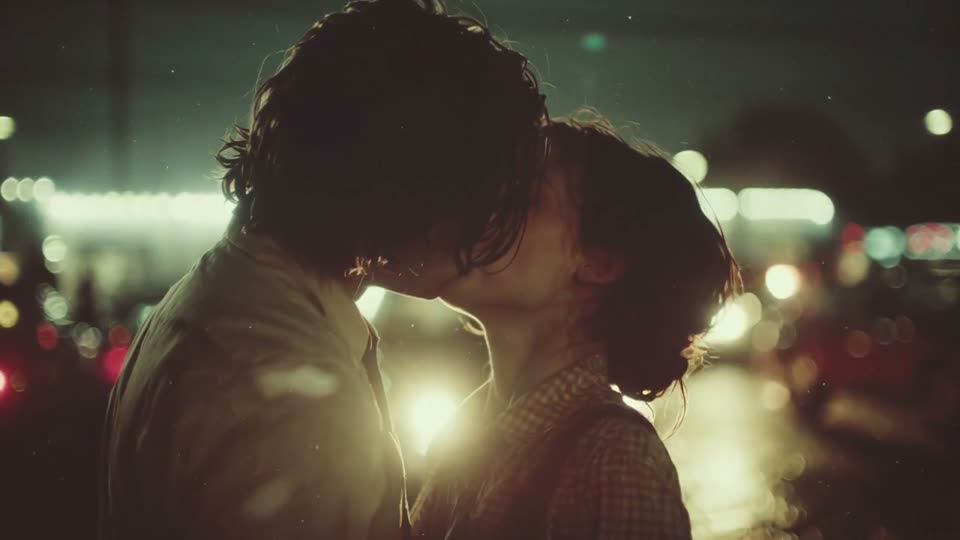
Each scene is a real lean-in-and-kiss shot. Your two photos replace the couple; the place, the light and the camera stay.
These previews are the reference scenes the editor starts from, not personalized results.
Why people search it
Two faces, a slow lean-in, and a kiss you never filmed.
Pollo AI is an AI video platform with a popular AI kissing effect: you upload a picture of two people and it animates them into a kiss. The effect took off on TikTok and Instagram for couple edits, anniversary posts and long-distance surprises, and “Pollo AI kissing” became one of the ways people look for it.
This page does the same job a different way. Instead of animating a still photo, Genjutsu AI starts from a filmed kiss scene and swaps in the two people from your photos, so the movement, the camera and the lighting come from real footage. Genjutsu AI is an independent tool and is not part of Pollo AI.
Your photos decide who is in the scene. The scene supplies the setting, the timing and the kiss.
Pick city lights, the painted night market, the spring park or the warm doorway. A scene whose couple is close to your two people in height and hair usually needs less change.
Upload one photo for the person on the left and one for the person on the right. Each should show a single, clear face in good light.
Check the displayed cost, sign in and click Generate. You get a 5-second widescreen MP4 in a few minutes, ready to post or send.
Three details decide whether the clip reads as you or as two strangers.
Pick photos where each face looks at the camera, eyes open and nothing covering it. Sunglasses, masks, heavy filters and group shots weaken the likeness.
The first photo becomes the person on the left of the scene, the second the person on the right. If the result swaps the look you expected, swap the two photos and try again.
A close-up like the warm doorway shows faces and hair best; a wider shot like the spring park is kinder to lower-resolution photos.
No. Genjutsu AI is an independent video editing tool and is not affiliated with or endorsed by Pollo AI. “Pollo AI kissing” is simply one of the names people use when they look for an AI kissing effect.
No. Upload two separate photos, one for each person. Clear, front-facing selfies or portraits work best — no couple photo needed.
Each scene is about 5 seconds in widescreen 16:9.
Only use photos of adults who have agreed to it — ideally the two of you. Do not make kiss videos of strangers, public figures, exes or anyone under 18; requests like that break our acceptable use policy.
No. Each generation uses credits from a one-time pack; the editor shows the cost before you click Generate. The previews on this page are free to watch.
Because the motion is not invented. Every scene starts from real footage of a kiss, so the lean-in, the head tilt and the camera move keep their original timing while the faces change.
Pick a scene, add a photo of each of you and get your kiss video in minutes.
Make our kiss video