One standing adult
Choose a solo photo with the whole body visible. Avoid overlapping people and tight head-only crops.
One photo. A lion’s entrance.
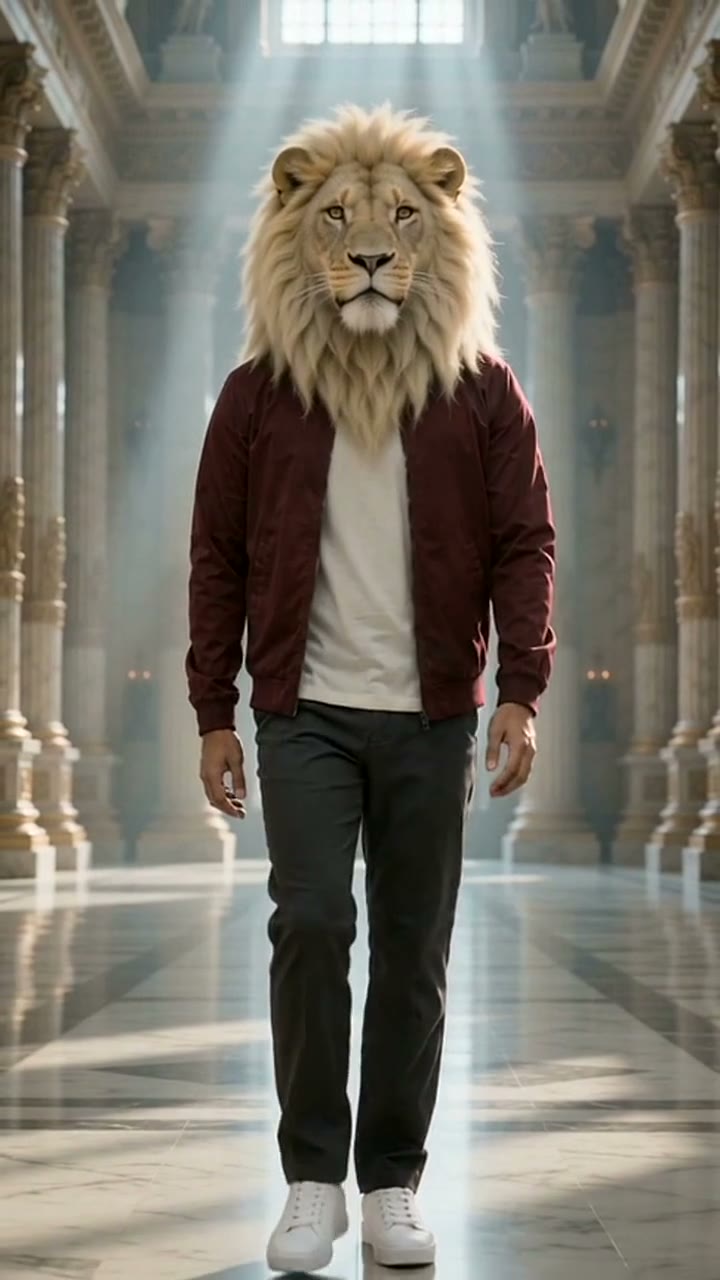
Turn your full-body photo into a lion-headed character. Start with the palace walk, use your outfit as the reference, and create a 10-second vertical video.Your photo. A lion head. A 10-second palace walk.
The palace reference is ready. Add one photo with your clothes and shoes visible.
First video $9.90 · one-time, no subscription
Choose the movement first. Let your photo guide the outfit.
The 10-second vertical reference is already selected. Watch the entrance before adding your photo, or upload a short clip of your own.
Use a clear photo of one adult standing, with their outfit and shoes visible. The photo guides the body and clothing; the head becomes a lion.
Check the price, generate your video, then inspect the mane, collar, hands and footsteps. Download the finished clip from the result panel.
The character behind the entrance
An AI lion. More than one origin story.
Sheru Bhai is a fictional lion character in AI shorts. Some videos turn an extravagant auction into a joke; others focus on a confident entrance. This generator uses the entrance format, with one walking figure in a palace hall.
The sources we checked do not verify one creator of the wider trend. Digital Tools describes the origin of its own Digital Sheru project, rather than claiming every Sheru video. Our origin guide separates that account from dated creator uploads.
Read the Sheru Bhai origin guide and watch the examples →The prepared reference comes from Vismuse’s public Sheru AI demonstration. It shows the scene used to guide the edit; it is not a finished result made from your uploaded photo.
Three details that make the reference easier to use.
Choose a solo photo with the whole body visible. Avoid overlapping people and tight head-only crops.
Use even lighting and keep the collar, sleeves and shoes visible. The lion head replaces the human face.
Inspect the mane at the collar, the hands and the foot contact across all 10 seconds. Review the movement before sharing.
It edits a 10-second palace entrance around a lion-headed adult. Your photo guides the body proportions, outfit and shoes, while the reference guides the walk, setting and camera. Results can vary; review the full clip before sharing.
This effect replaces the head with a pale lion head and mane. It uses the photo for the body and clothing, so it is not a human-face swap or a promise of exact facial likeness.
The prepared palace reference is silent. This template does not generate the auction dialogue or a particular voice. Add music or a voiceover you can use after downloading.
Yes. Use the video upload control for a 3–10 second clip with one clear main adult. The Sheru direction keeps that clip’s motion and setting while requesting a lion head and the outfit from your photo.
Personalized generation requires paid credits from a one-time pack. Watching the reference is free. Check the amount shown on the generation button before starting; the pack does not auto-renew.
The sources we checked do not establish one originator of the wider trend. Digital Tools describes its own Digital Sheru project, attributing the initial suggestion to Abdul Rahim and the videos to his friend. That account does not claim every Sheru meme.